
|
| Compressor Build Guide |
 |
|
 |
Building your own gear can be a very rewarding and valuable experience. The skills and knowledge you attain along the way will help you better understand how your gear works and can help you gain troubleshooting skills should something you own fail in the middle of a session. On the other hand, building your own gear can be a frustrating experience when your build becomes sloppy and it doesn’t work as you intended. The purpose of this guide is to consolidate much of the information that is available to you through the internet.
The very first thing you need to know about this or any other build is TAKE YOUR TIME!!!! We know, you want this new fancy piece of gear working right now. However, a sloppy and chaotic build leads mistakes and mistakes lead to hours and days of troubleshooting. Take your time, this build is not a race.
1. Visit MNATS.net and find the info page about your build (Rev A and D only). Read through the page so you understand the basics of the circuit and your revision. Check the bottom of the page to see if there are any updates or corrections to components or values on your PCB version.
2. Download the MNATS build doc for your revision. These are found in the left menu bar on the info pages mentioned in step 1. Revision F/G USA (and the other) build docs can be found on the MNATS order sales page. These build docs include a schematic and updated materials lists.
3. BUILD YOUR POWER SUPPLY FIRST. This can save you a lot of headaches. Start by stuffing only the power supply section of your MNATS PCB. These parts are: R81, R82, R87, R89, C23, C24, C25, C26, VR1, CR6, CR7, CR8, CR9, CR10. You’ll see they are contained in a silkscreened box. Note: On the REV F/G boards R81 and R82 are named R85 and R86.
4. After you have carefully stuffed each power supply component (double checking the value and orientation) wire that power transformer as described on page one of the MNATS wiring pages. At this point you can assemble the enclosure. The enclosure gallery will help you orient the parts.
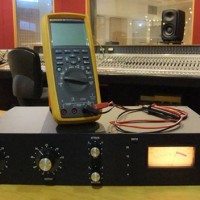
5. Test your power rails. Your test points should measure +30Vdc and -10Vdc +/- 10%. If your readings are not correct DO NOT CONTINUE! Troubleshoot or post to the build thread on the groupDIY forum for assistance. At this point there can only be a few problems (wiring error, component error or bad part). Finding the error will be fairly easy if you only have the power supply stuffed. If you’ve stuffed your entire board, troubleshooting will be difficult and you risk damaging several components. SO BUILD AND TEST YOUR POWER SUPPLY FIRST!
6. Stuff your board! You can make it easy on yourself by starting with the smallest components and finishing with the largest. CHECK ALL COMPONENT VALUES AGAINST THE MNATS BOM. If there is a discrepancy between the PCB and BOM, the BOM is correct. You should also CHECK ALL RESISTORS WITH AN OHM METER. Placing a 10K ohm in place of a 10 ohm will cause errors in your circuit that will be very hard to find when you’re finished. Checking all resistors with an ohm meter will also confirm your supplier sent you the correct resistor and that it’s not damaged. This adds a bit of time to the build but can save a HUGE headache later on. Stuff the ratio board according to the push button switch information document.
7. Make sure you are installing the trimmers correctly. If you are using Bourns trimmers from mouser, the screen on the Rev A and D can be a bit confusing. The screen shown is for a trimmer with a different footprint. The Bourns trimmer should be installed perpendicular to the screen.
8. Once your PCB is stuffed, visually check the PCB for shorts or cold solder joints.
9. Wire the build as described in the MNATS wiring pages. Again, take your time. Note: Do not over tighten the VU meter mounting screws. This will cause the scale plate to bow and interfere with the meter needle.
10. Calibrate your unit by following the MNATs calibration videos.
If you have followed this guide and linked info you should have a working FET compressor! If you are having problems, please post your question to the build thread for your revision on the groupDIY message board.
Revision A Information and Support
Revision D Information and Support
Revision F/G Information and Support
General Information and Support
|
|
 |
|
|
|